Order confirmation for your own store.
The same WhatsApp confirmation flow, connected to the WooCommerce store you already run. New order, paid, shipped — each one can send its own message.
Total: PKR 3,150
No plugin conflicts, no theme edits.
WooCommerce already knows how to tell other systems about an order. We use that, so nothing in your store has to change.
Create a key
In WooCommerce you generate a read/write API key. That key is all we need — your WordPress admin password stays yours.
Paste it once
Paste the key and your store address into the portal. Order webhooks are registered for you automatically.
Choose your messages
Decide which order events send a message — new order, payment received, shipped, cancelled — and what each one says.
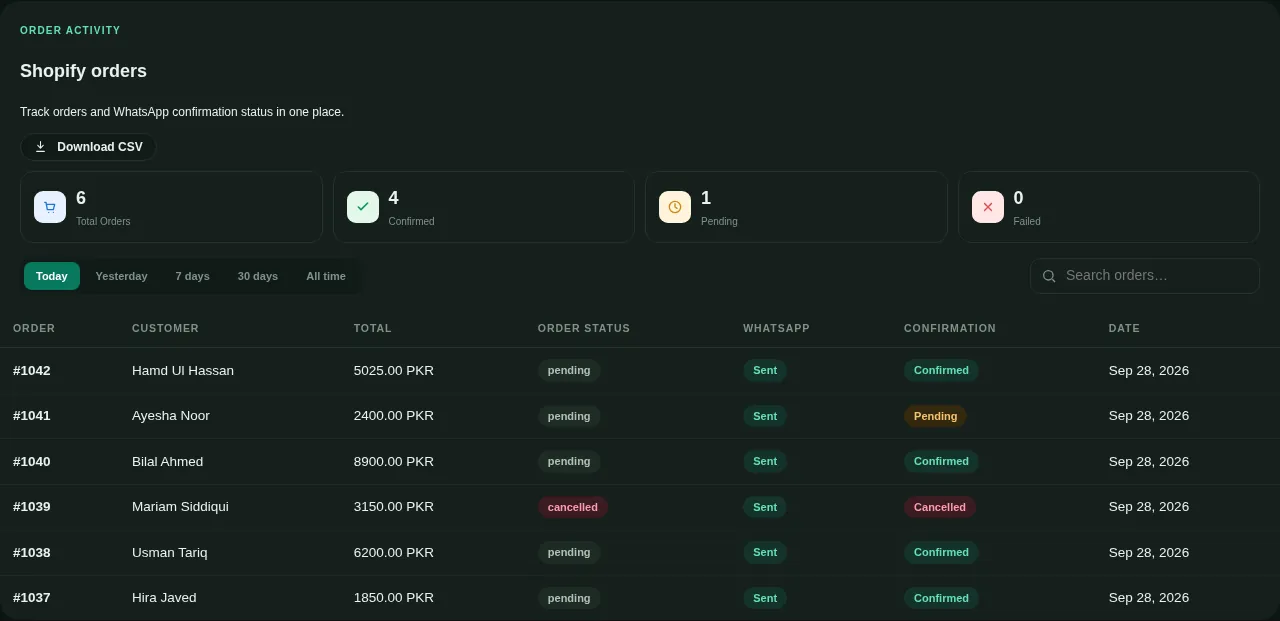
See each order, its message and the answer.
The same orders table works for WooCommerce: status, WhatsApp delivery and the customer’s confirmation, exportable any time.
One engine, every stage of the order.
New order
Confirm the order with buttons before anyone picks or packs it.
Payment received
Reassure the customer the moment their payment lands.
Shipped
Send the tracking link where it actually gets opened.
Out for delivery
Fewer missed deliveries when the customer knows the rider is close.
Cancelled
Tell the customer plainly, and keep the record straight in your store.
Every buyer saved
Each order becomes a contact you can reach again with a campaign.
WooCommerce questions.
Do you need my WordPress admin password?
Will this slow my store down?
Can I use both WooCommerce and Shopify?
Connect your WooCommerce store.
Message us and we will set the key up with you on a call, start to finish.